Warehouse Operations System
A warehouse system connecting documents, receiving, placement, search and each unit's movement history.
FlowOps is a separate public demo of this product class. It is not the client's system name.
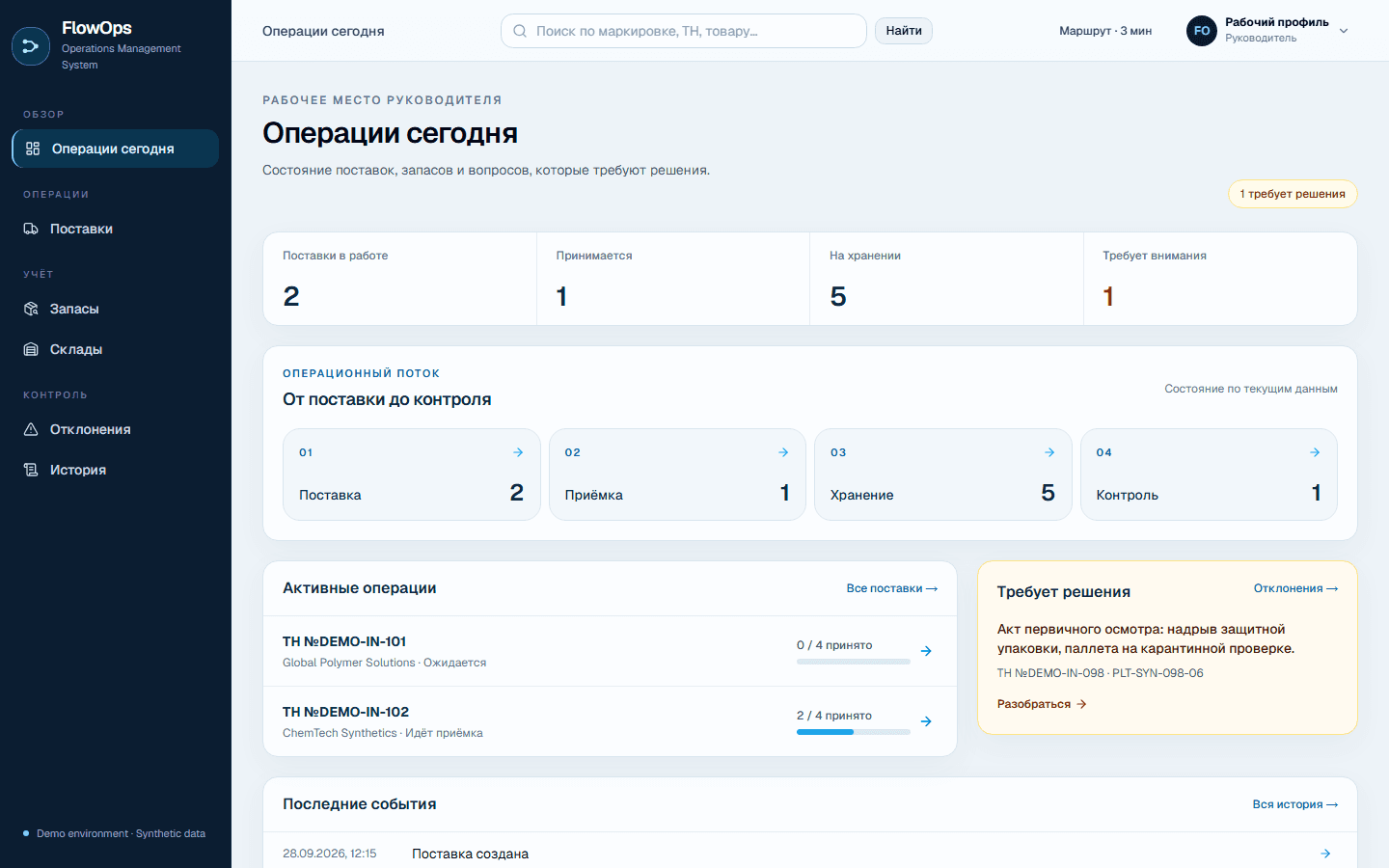
From fragmented records to one workflow
The task was to connect shipments, physical receiving and movement so teams could see each unit's current state and history.
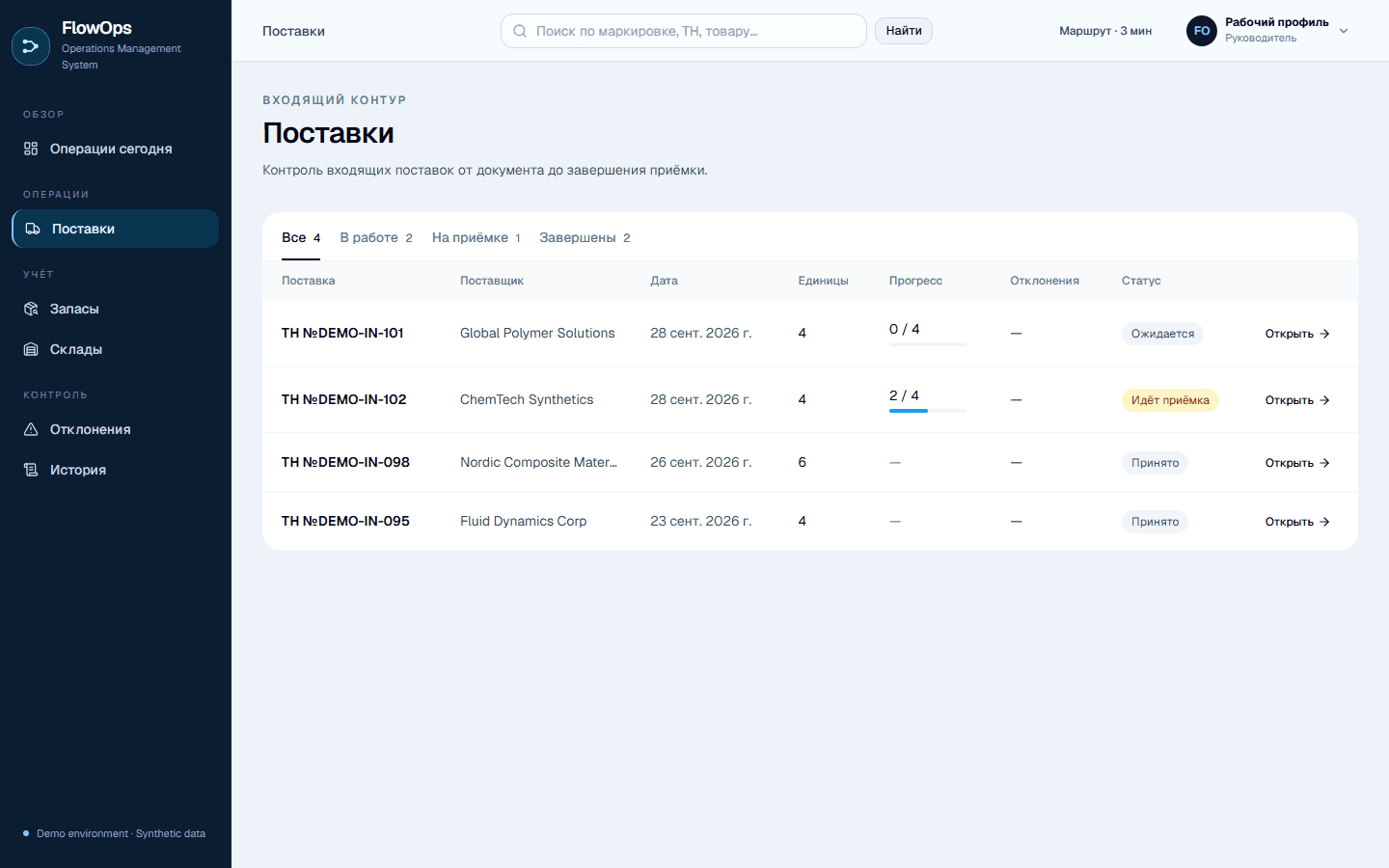
Document → shipment
An operator reviews the inbound document before creating a shipment.
Receiving → placement
A warehouse worker checks units and records their physical location.
Control → history
A manager sees discrepancies and the operation timeline.
A document and physical stock are different facts
A spreadsheet describes an expected shipment. Receiving must separately confirm each unit's marking, contents and actual location. A mismatch stays visible until it is resolved.
Expected → actual → movement
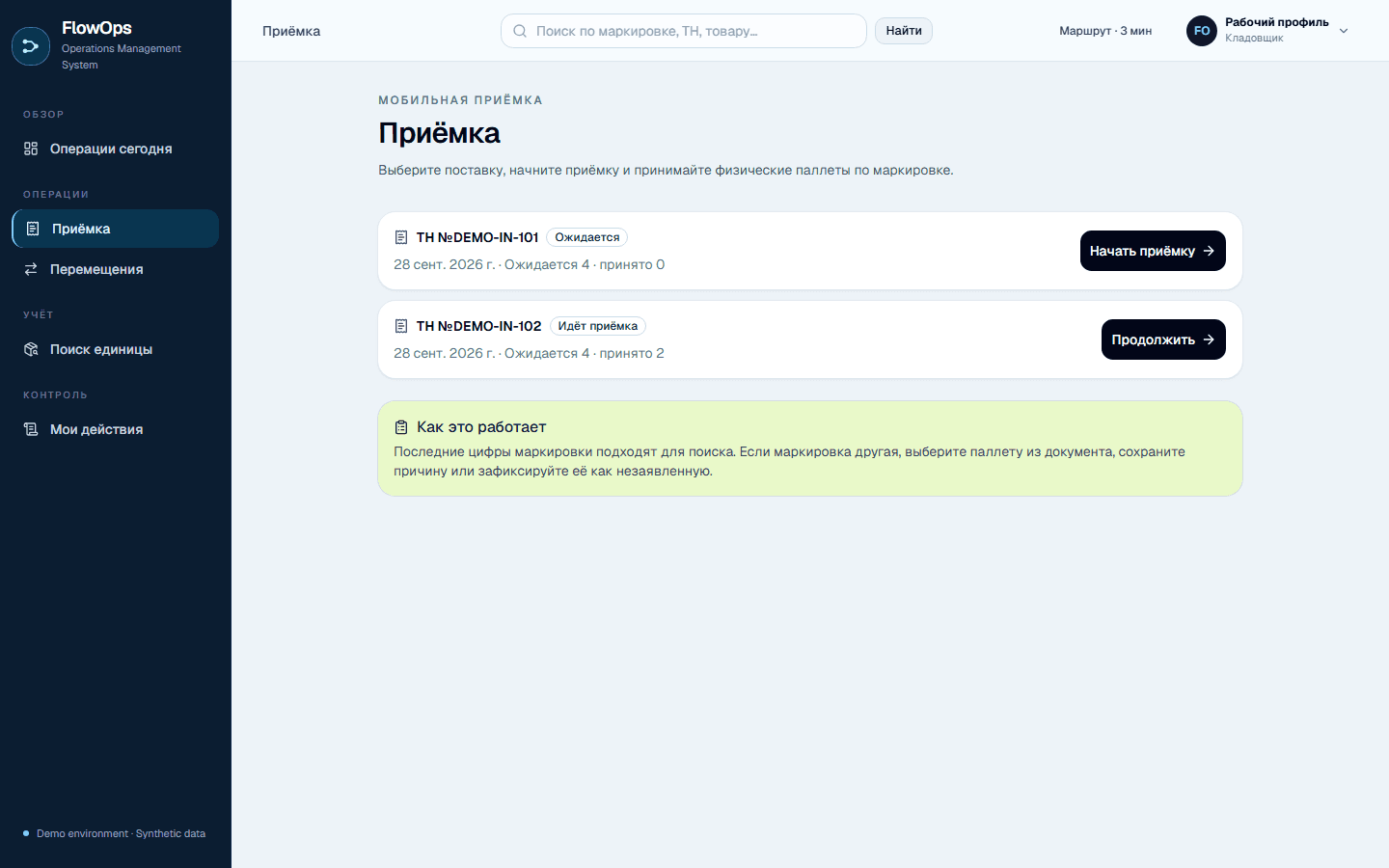
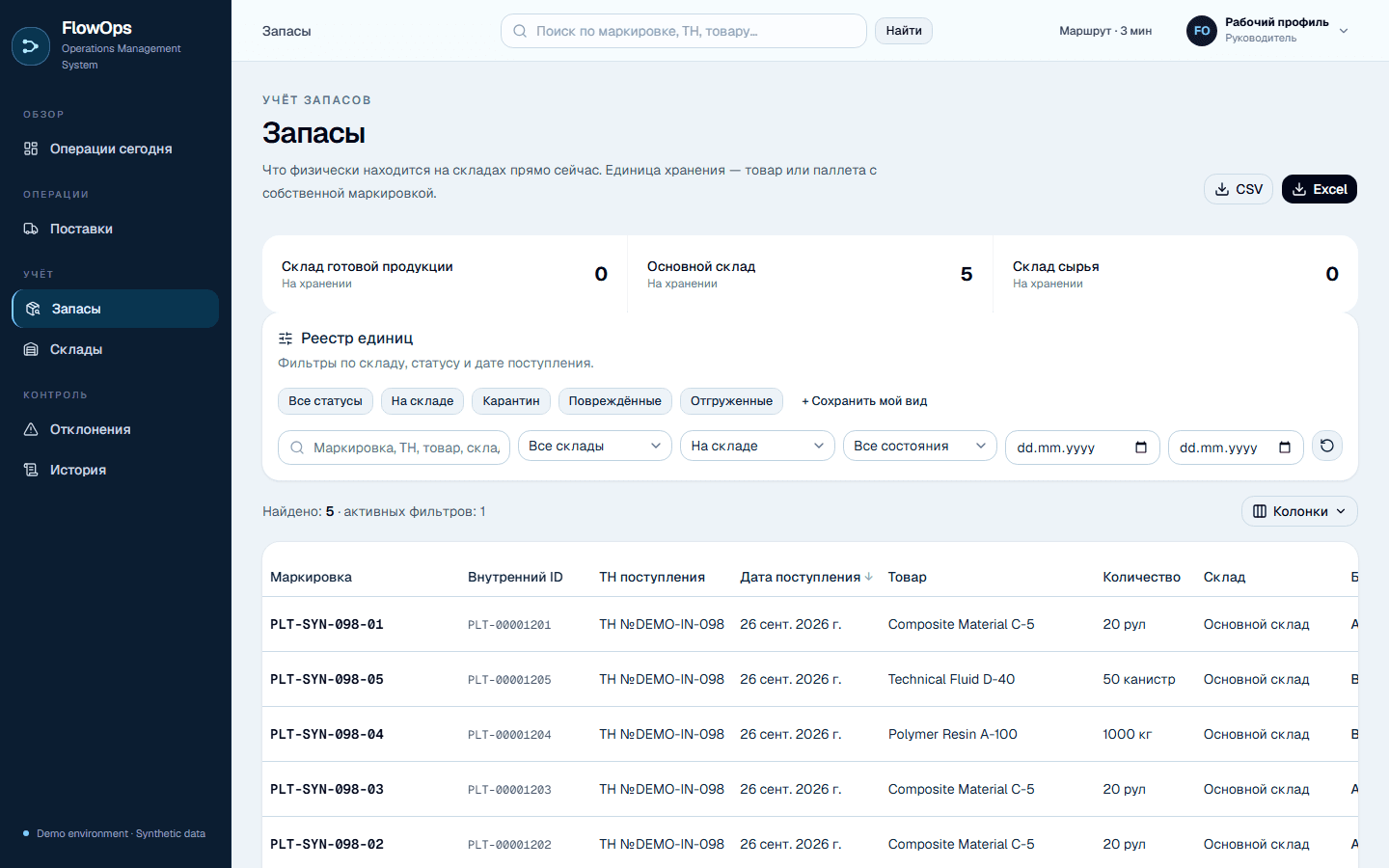
A shipment records expected units and contents. Receiving creates actual units and matches them to the plan. The current location supports daily work; movement history explains how a unit arrived there.
Shipment → expected units
Document, markings, contents
Receiving → actual units
Plan matching and discrepancies
Location → movements → history
From, to, actor and time
One workflow, three workspaces
Access follows the server session. Every API request checks role permissions; navigation presents the available tasks.
Operator
Review a demo document, confirm its import, prepare shipments and inspect inventory.
Warehouse worker
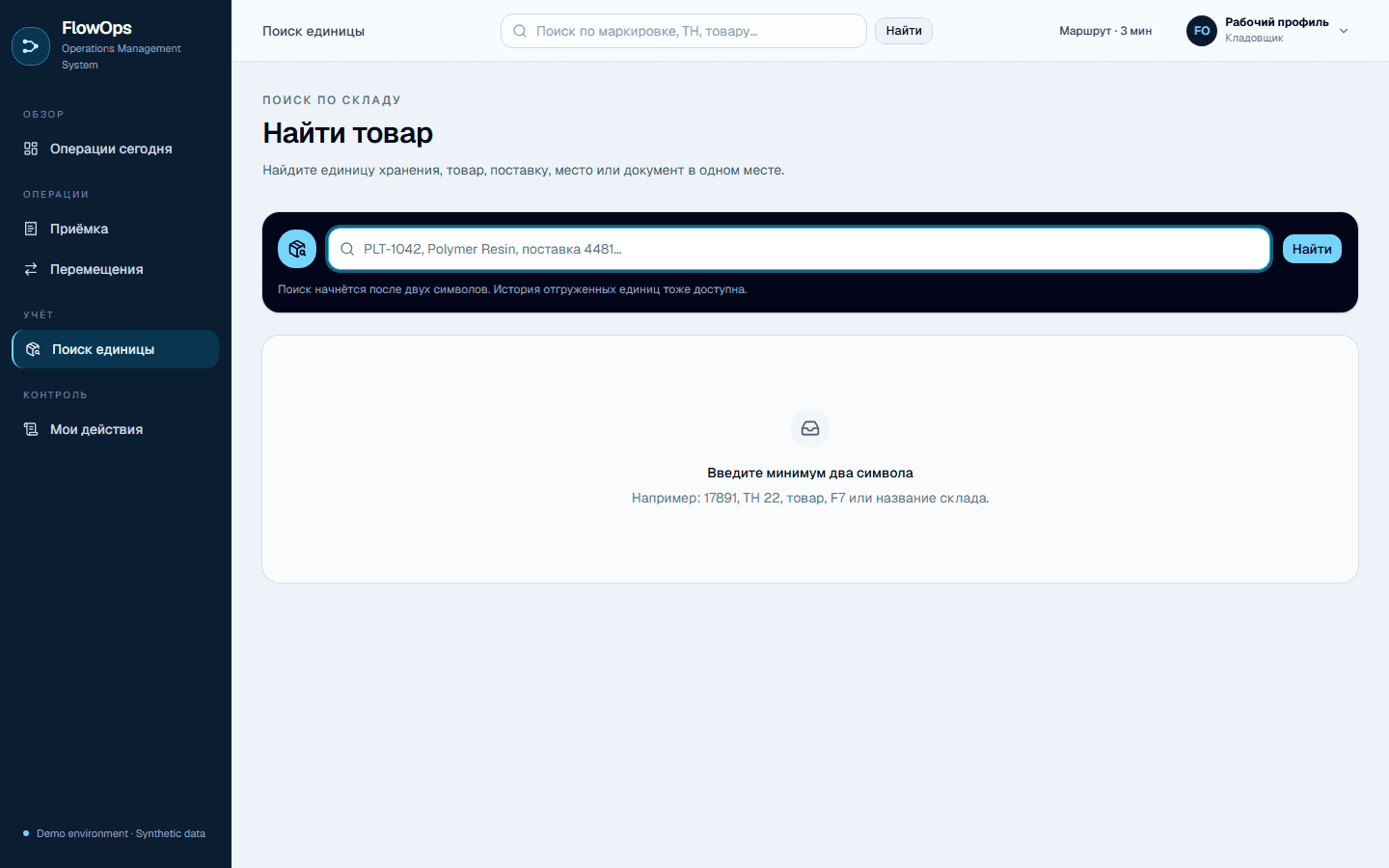
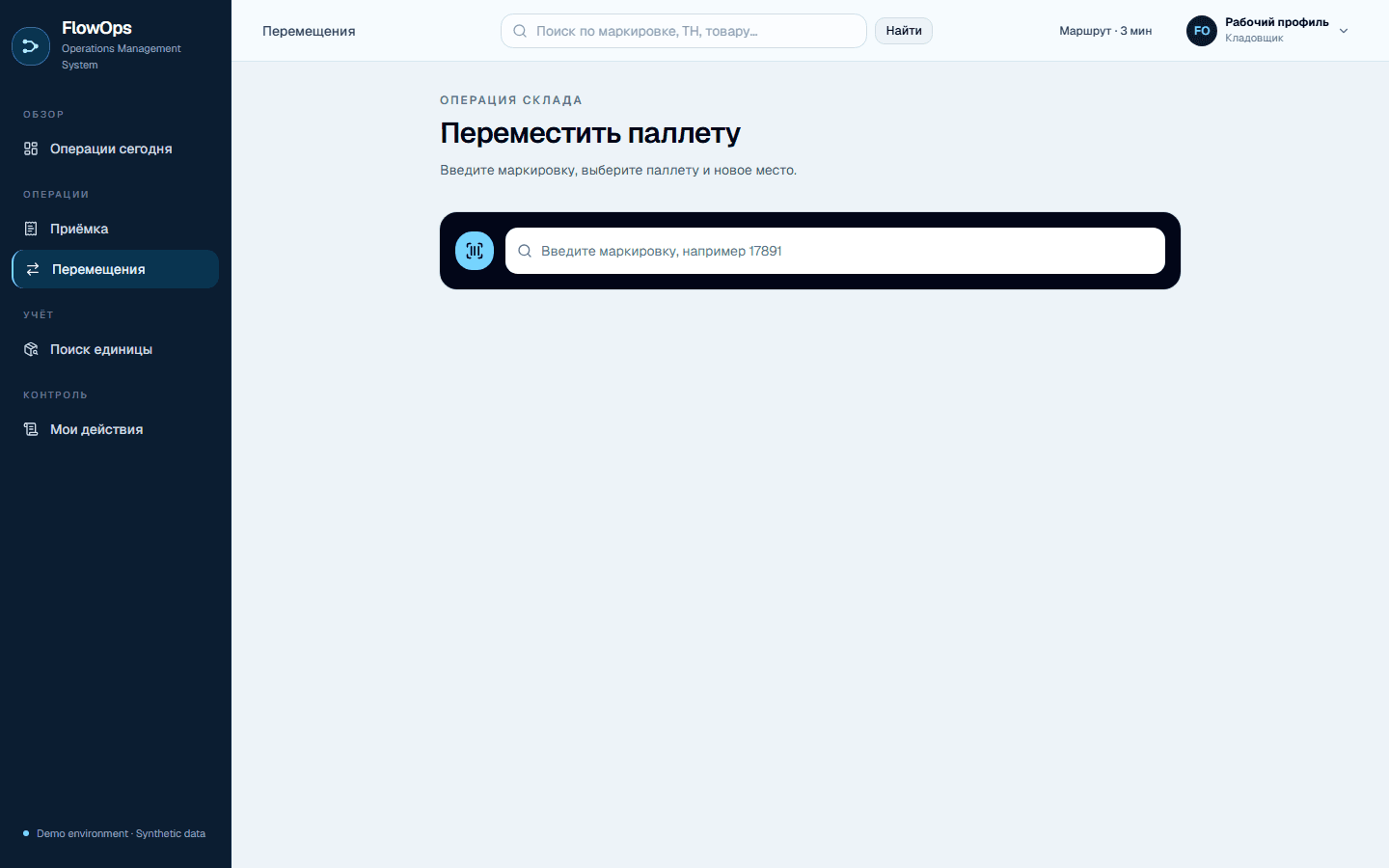
Physical receiving, marking search, putaway and unit movement.
Manager
Operations overview, warehouses and stock, discrepancy review and action history.
Interface, rules, data
Next.js guides the work scenario. The Go API validates sessions, permissions and warehouse rules. PostgreSQL stores entities, relationships and operational audit.
- Next.js / TypeScript →
- Go API / RBAC →
- PostgreSQL / Audit
Each step hands over a clear result
The operator reviews a demo document and confirms a shipment. The worker matches expected and actual units, completes receiving and puts stock away. The manager sees the workflow state and outstanding decisions.
Document → shipment → receiving → putaway → control → history
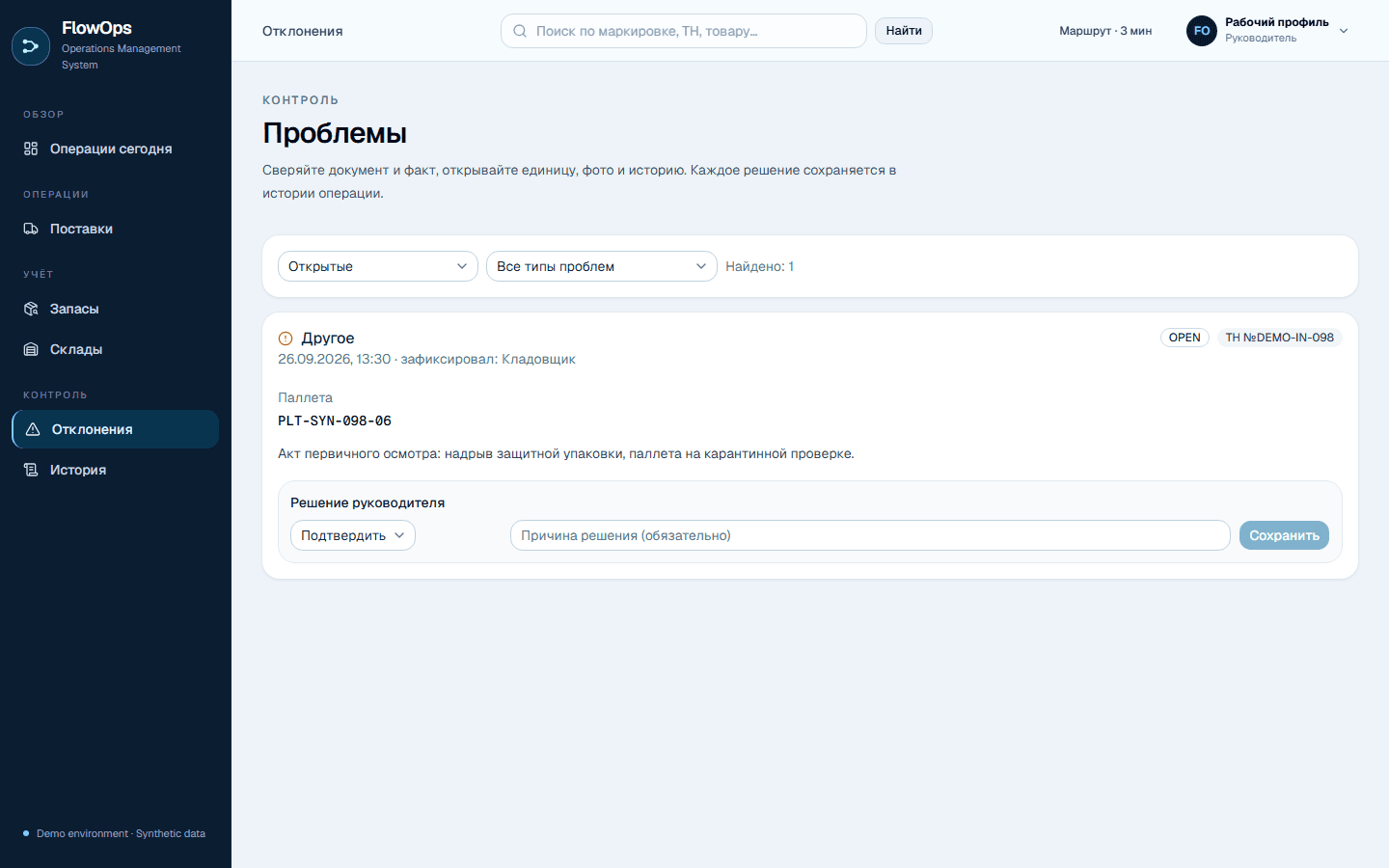
A discrepancy becomes a task
A content mismatch, missing unit, unexpected unit or damage is recorded explicitly. The manager opens a discrepancy, checks its context and records a resolution; switching screens does not erase it.
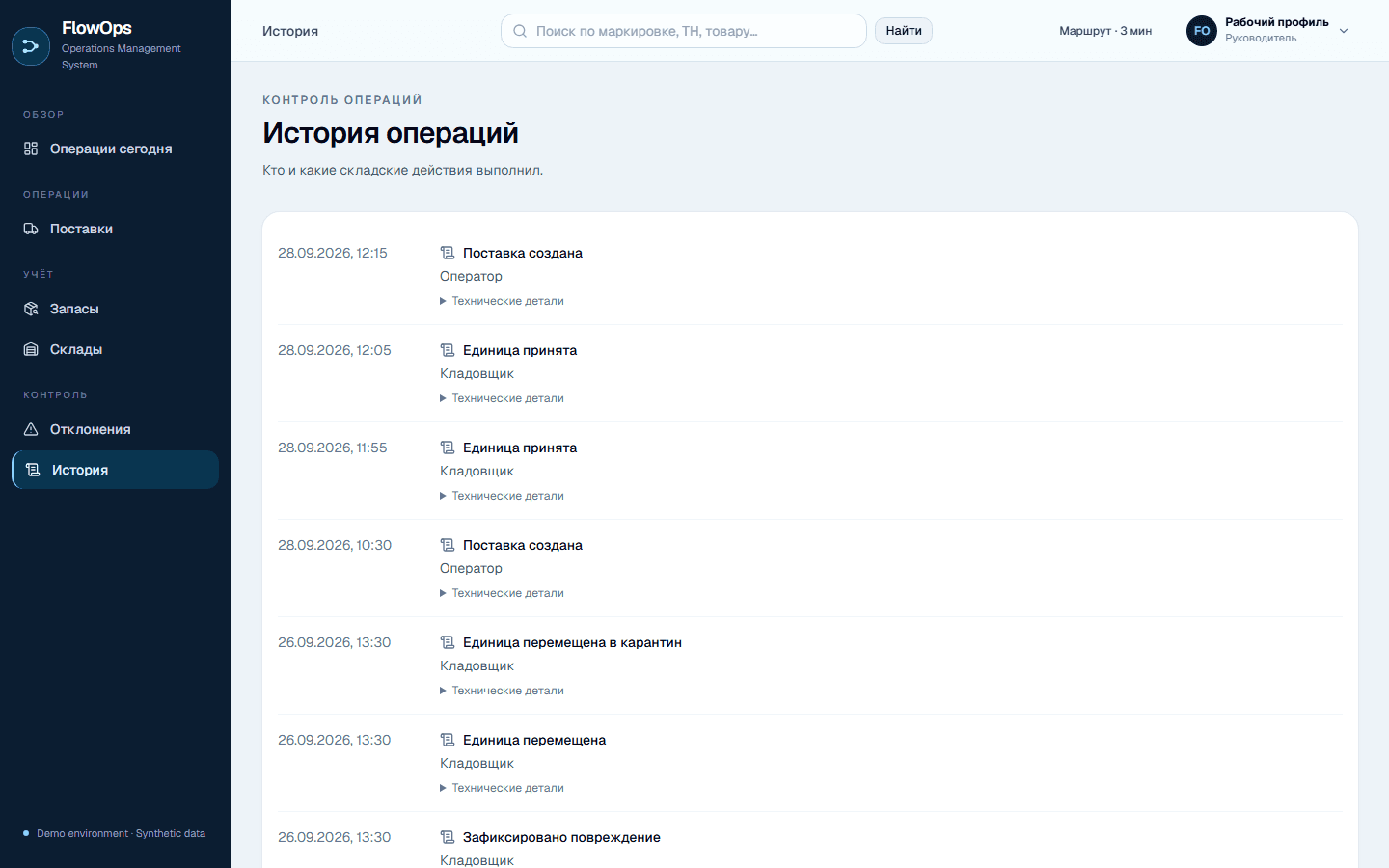
From current state to what happened
A unit's detail page connects it to its shipment and movements. The journal records the action, time, actor and change context, so a specific operation can be investigated without reconstructing it from messages.
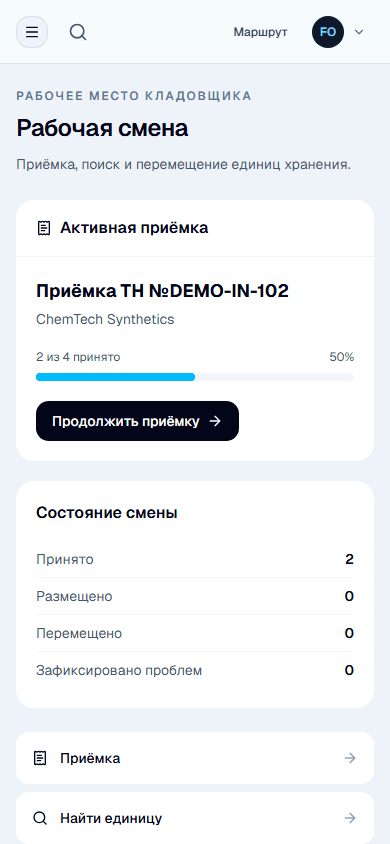
Real screens from the working demo
Screenshots of the preview interface with synthetic demo data.
10 · Live demo
Explore the workflow
The public FlowOps demo uses fictional data to show the workflows.